Best Running Apps for Apple Watch Ultra 2026
Best Running Apps for Apple Watch Ultra 2026
You spent serious money on the Apple Watch Ultra. Precision dual-frequency GPS, a 36-hour battery, an action button built for athletes, and a screen bright enough to read mid-run. Most running apps treat it exactly like any other Apple Watch. A few actually use what it offers.
This guide covers the six best running apps that pair well with the Ultra in 2026. Some unlock hardware features the standard Workout app can't touch. One turns every long ultramarathon session your Ultra captures into a ranked position on a global leaderboard. We tested and compared the top options - here are the six best tools for the job.
The best running apps for Apple Watch Ultra in 2026 are: 1) WorkOutDoors for the deepest native watch data and customizable screens, 2) Runify for rank progression and distance leaderboards that sync from every Ultra run, 3) Apple Workout for action-button Precision Start and multi-band GPS built into the OS, 4) Runna for structured coaching plans delivered to your wrist, 5) Strava for segments and social tracking with live route maps, and 6) Nike Run Club for free audio-guided runs.
1. WorkOutDoors - Best Native Apple Watch Ultra App
WorkOutDoors is the most advanced workout app built natively for Apple Watch. A one-time $8.99 purchase gives you over 800 configurable metrics, offline maps, turn-by-turn navigation, and fully customizable data screens you can swipe through mid-run. No subscription. No phone required.
The Ultra's larger, brighter display is where WorkOutDoors earns its reputation. You can stack four or six data fields on a single screen and read them at a glance in bright sunlight. The app tracks 42 activity types and integrates Apple Watch Ultra's dual-frequency GPS for precise trail and road tracking.
For Ultra owners logging runs in areas with GPS interference - urban canyons, dense forest canopy, technical mountain terrain - that precision matters. WorkOutDoors layers offline topographic maps so you can navigate without a phone signal. If you want the richest possible on-wrist data while you run, this is the top choice.
Key Features
- 800+ configurable metrics: Build the exact data layout you want across multiple swipeable screens, down to font size and field order.
- Offline maps and navigation: Download topographic or street maps to the watch. Follow routes and get turn-by-turn cues without a phone.
- 42 tracked activities: Running, trail running, hiking, cycling, swimming, and dozens more - all with structured workout support.
- Dual-frequency GPS integration: Pulls the Ultra's multi-band GPS signal for more accurate pace and distance in challenging environments.
- No subscription: One-time $8.99 purchase. All features included. No recurring charge.
Pricing
One-time purchase: $8.99. No subscription required.
Best For
- Runners who want maximum data density on their wrist
- Trail runners and ultramarathon runners relying on offline maps
- Ultra owners who want to use every hardware feature the watch offers
Limitations
- No social features, leaderboards, or friend comparisons
- No rank system or progression - miles tracked don't feed into anything competitive
- Companion iPhone app is secondary; the watch experience is the focus
2. Runify - Best for Rank Progression and Distance Leaderboards
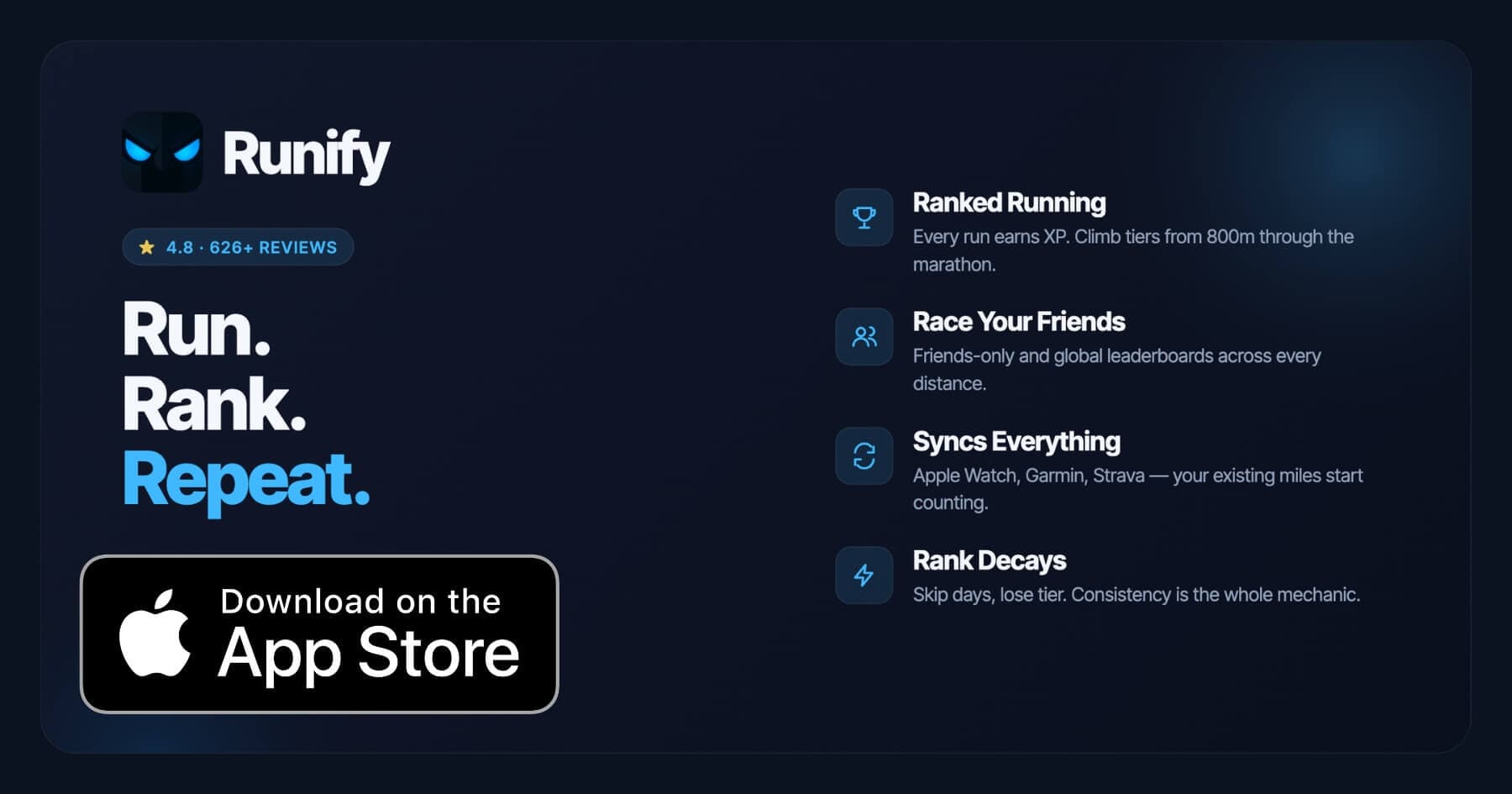
Runify is the rank/leaderboard companion for runners who already track on Apple Watch Ultra. Every run your Ultra records syncs into Runify via HealthKit, earning XP toward a competitive tier system and placing you on distance-specific leaderboards from the 800m through the marathon.
The Ultra is a natural fit for Runify's audience. Ultra owners often log long trail efforts, ultramarathon training blocks, and daily mileage that just sits in Apple Health going nowhere. Runify changes that. Import runs in bulk or let them auto-sync, and your miles start feeding a real rank - with post-run rank-up reveals, rank decay if you go inactive, and friends and global leaderboards across six race distances.
Runify doesn't replace WorkOutDoors or Apple Workout for on-wrist tracking. It adds the layer those apps are missing: a competitive progression system and distance-specific leaderboards the watch itself can't provide. If you're chasing a 5K or marathon leaderboard position while your Ultra handles the GPS, Runify is where that data goes. If you want more on the GPS side, check out our best running apps with GPS tracking breakdown for a deeper comparison.
Runify has a 4.8-star App Store rating with 626+ reviews. The community has logged 100,000+ runs and 500,000+ miles collectively.
Why Runify Stands Out
Your Apple Watch Ultra already does precision GPS. Runify takes what the watch captures and turns it into something visible and competitive. Every long run, every easy recovery jog, every early morning workout feeds your XP and holds your rank.
Rank decay is one of the features Ultra owners respond to most. Go inactive for too long and your rank slips. It mirrors the real cost of skipping training weeks - and it makes the leaderboard feel earned.
The 800m through marathon distance ladder is the other differentiator. Your watch tracks pace and distance. Runify tells you whether your 5K time puts you in the top 10% of your friend group or the global leaderboard. Those are different motivations, and both are useful.
Key Features
- Ranked Progression System: XP from every synced run feeds an overall Runify Rank and distance-specific rank achievements. Rank decay after inactivity keeps the system honest.
- Friends & Global Leaderboards: Compare across 800m, 1K, 5K, 10K, half, and marathon. Switch between friends-only and global views.
- Apple Watch HealthKit Sync: Bulk-import past runs or auto-detect new ones. Your Ultra's existing runs count from day one.
- In-App GPS Tracking: Live GPS with time, distance, pace, and route if you prefer to track directly in Runify. 99.5% GPS routing accuracy.
- Shareable Run Recaps: Auto-filled templates with your run data and rank card. One-tap Instagram Stories sharing.
- Streaks and Reminders: Streak tracking, celebration notifications on streak extensions, and motivational push reminders for inactivity.
Pricing
Monthly: $4.99/month (no free trial). Annual: $39.99/year with a 7-day free trial. Pro unlocks distance-specific leaderboards and expanded profile/history views - weekly, monthly, yearly, and all-time stats.
Best For
- Ultra owners who want their mileage to count toward a visible rank
- Competitive runners chasing 800m through marathon leaderboard positions
- Runners who already track with Apple Workout or WorkOutDoors and want a progression layer on top
Limitations
- iOS only. No Android version available today.
- Not a full native Apple Watch workout-control app - no on-wrist workout display or real-time Ultra data screens. Tracking happens via Apple Health import or the iPhone app.
- No structured training plans, audio coaching, or route discovery features.
- Distance-specific leaderboards require a Pro subscription.
3. Apple Workout - Best Built-In Option for Ultra Hardware
Apple's own Workout app is free, always on the watch, and built specifically around Apple Watch Ultra's hardware. Precision Start lets you press the action button and begin a run the instant GPS and heart rate lock - no countdown required. For runners who want minimal friction, that alone justifies keeping it in the rotation.
The Workout app uses an AI and ML model trained on 50 million hours of activity data. It tracks Heart Rate Zones, training load, cardio fitness trends, and running power. On Ultra, dual-frequency GPS means accurate pace and distance even in dense urban or forested terrain. As we covered in our best running apps for iPhone guide, the Workout app's HealthKit integration makes it the hub other apps sync from.
The Race Route feature - available on Ultra - lets you race your previous best time on a recorded route. Run the same loop twice, then compete against your earlier self on the third attempt.
Key Features
- Action button Precision Start: One press starts the workout the moment GPS and heart rate lock.
- Multi-band dual-frequency GPS: The most accurate GPS signal Apple makes, on-device, without a phone.
- Heart Rate Zones and training load: Built-in without a third-party app or subscription.
- Race Route: Race your previous best time on a saved route, shown in real time on the watch.
- Free, always present: No download, no subscription, no configuration required.
Pricing
Free. Included with Apple Watch.
Best For
- Runners who want zero setup and maximum Apple ecosystem integration
- Ultra owners who want the action button wired directly to their running workflow
- Runners who sync other apps (Runify, Strava, WorkOutDoors) through HealthKit
Limitations
- Fewer customizable data screens compared to WorkOutDoors
- No social features, leaderboards, or community elements
- No coaching, structured plans, or audio guidance
4. Runna - Best for Structured Coaching Plans on Apple Watch
Runna delivers structured training plans that run natively on Apple Watch. The coaching content is the draw: plans span 5K through marathon, ultra-distance programs, injury rehab, and maintenance cycles. Workouts show up on your watch face and guide each session with clear targets. Runna is covered in more depth in our best running apps for marathon training roundup.
The Apple Watch app works standalone - you can follow a coached session from your wrist without pulling out your phone. Ultra runners using Runna for ultramarathon or high-mileage training blocks get the coaching quality plus the Ultra's hardware accuracy underneath every session.
Key Features
- Structured coaching plans: 5K to ultramarathon programs built around actual coaching methodology.
- Standalone Apple Watch app: Follow workouts from the watch face without your phone.
- AI-powered post-run analysis: Predictive race times, performance benchmarks, and a Runna Score.
- Strength and mobility sessions: Injury prevention and recovery content built specifically for runners.
- Apple Watch Ultra compatibility: Pulls dual-frequency GPS data through watchOS for accurate distance and pace.
Pricing
$19.99/month or $119.99/year. 7-day free trial available. Strava + Runna bundle: $149.99/year.
Best For
- Runners who want a coach-quality training structure on their Apple Watch
- Ultra distance and marathon runners following a structured build
- Runners who want guidance during the run, not just post-run data
Limitations
- Higher price point than most apps on this list
- No leaderboards or competitive rank system
- Primary value is the coaching structure - if you don't follow plans, the price is hard to justify
5. Strava - Best for Segments and Social Tracking
Strava is where most serious runners already live. Segments turn any stretch of road or trail into a live competition - Ultra's precision GPS means more accurate segment times compared to a standard Apple Watch. The redesigned Apple Watch app now supports live route maps and turn-by-turn navigation for subscribers, which pairs naturally with the Ultra's large screen.
At $11.99/month or $79.99/year, Strava Premium is the priciest pure-tracking subscription here. But the social layer - clubs, segment leaderboards, kudos, athlete profiles - is unmatched. Ultra owners who are already Strava users will find the watch experience improved by the hardware underneath it.
Key Features
- Live segments on Apple Watch: Real-time ranking and pacing against the segment leaderboard while you run.
- Route navigation from the wrist: Follow saved routes with maps on the Apple Watch display. No phone required.
- Heatmaps and club challenges: Explore popular running routes in any city; join weekly club challenges.
- Personalized training recommendations: Weekly goal-based workout suggestions for subscribers.
- GPS accuracy for segment times: Ultra's dual-frequency GPS produces cleaner segment data.
Pricing
Free tier available (limited features). Strava Premium: $11.99/month or $79.99/year.
Best For
- Runners who are already in the Strava community and chase segment leaderboards
- Ultra owners who want live navigation combined with social features
- Runners who use Strava for clubs, challenges, and route discovery
Limitations
- Segment leaderboards and route navigation require a paid subscription
- No structured training plans (though you can sync Runna plans through the Strava + Runna bundle)
- Social feed can feel noisy if you prefer a focused tracking experience
6. Nike Run Club - Best Free Option for Audio-Guided Runs
Nike Run Club is the strongest free running app on this list. Guided runs with audio coaching for pacing, form, and effort cover everything from a first 5K effort to marathon training blocks - all at no cost. The standalone Apple Watch app tracks runs without your phone, displays pace, distance, time, and heart rate, and syncs everything back to the iPhone.
NRC doesn't take advantage of Apple Watch Ultra's hardware specifically. But for Ultra owners who want to top up their week with an easy recovery jog or join a community challenge, NRC is an easy add at zero cost.
Key Features
- Free audio-guided runs: Coaching content from Nike coaches for every effort level and distance.
- Standalone Apple Watch app: Track runs from the watch with real-time stats and no phone needed.
- Community challenges: Weekly and seasonal challenges with friends and the broader NRC community.
- Adaptive run plans: 5K to marathon plans that adjust based on your logged activity.
- Apple Health sync: All runs sync to HealthKit, feeding Runify, Strava, or any other connected app.
Pricing
Free. No subscription required.
Best For
- Runners who want audio guidance during easy or recovery runs
- Ultra owners who want a free complement to a primary tracking app
- Beginners building toward their first 5K or 10K
Limitations
- No segment leaderboards, rank systems, or distance-specific comparisons
- Guided runs and advanced analytics are strong, but the social layer is thinner than Strava
- Does not use Apple Watch Ultra's dual-frequency GPS for any special functionality
How to Choose the Best App for Apple Watch Ultra
Not every app on this list suits every Ultra owner. Here are the factors that matter most.
-
On-wrist control vs. post-run analysis: WorkOutDoors and Apple Workout give you rich on-wrist data while you run. Runify and Strava are stronger at what happens after the run - rank, leaderboards, and segments. Decide which moment matters more to you.
-
Coaching vs. tracking: Runna gives you a structured program. WorkOutDoors, Apple Workout, and Runify give you data without telling you what to do. If you follow a plan, Runna is worth the cost. If you self-direct, skip it.
-
Social competition style: Strava competes on segments - pace over a fixed stretch of road. Runify competes on race-distance leaderboards - your 5K or marathon time ranked globally or within your friend group. Both are real competitive motivators but feel very different.
-
Budget: Apple Workout and Nike Run Club are free. WorkOutDoors is a one-time $8.99. Runify is $4.99/month or $39.99/year. Strava is $11.99/month or $79.99/year. Runna is the most expensive at $19.99/month or $119.99/year. Stack the apps that genuinely add value - most Ultra owners run two or three together.
-
Long-run and ultramarathon use: For long efforts where battery and offline maps matter, WorkOutDoors or Apple Workout are the on-wrist picks. Runify captures the full effort once it syncs from HealthKit - every long training run feeds XP and distance rank. For trail and long-run app comparisons, see our best running apps for long runs guide.
Frequently Asked Questions
What is the best running app for Apple Watch Ultra in 2026?
WorkOutDoors is the best native Apple Watch app for Ultra owners who want the deepest on-wrist data - 800+ configurable metrics, offline maps, and full use of the Ultra's dual-frequency GPS for a one-time $8.99. For post-run rank progression and distance leaderboards, Runify is the strongest companion - it imports every Ultra run from HealthKit and feeds your XP toward a competitive tier and distance-specific leaderboard from 800m through the marathon. Most Ultra runners pair two or three apps: Apple Workout or WorkOutDoors for on-wrist tracking, Runify for rank and leaderboards, and optionally Strava for segments and social features.
Is there a free running app that works well with Apple Watch Ultra?
Yes. Apple's built-in Workout app is free and makes direct use of the Ultra's hardware - including action-button Precision Start, dual-frequency GPS, and Race Route. Nike Run Club is also free and adds audio-guided run coaching with a standalone Apple Watch app. Runify offers a 7-day free trial on the annual plan ($39.99/year) so you can test rank progression and leaderboards before committing. WorkOutDoors, at $8.99 one-time with no subscription, is one of the best values on this list if you want deep data without ongoing cost.
Can Runify use my Apple Watch Ultra runs for rank and leaderboards?
Yes. Runify imports runs from HealthKit, which means every run you record on your Apple Watch Ultra - through Apple Workout, WorkOutDoors, or any other app that writes to Apple Health - syncs into Runify automatically. Those runs earn XP toward your overall Runify Rank and count toward distance-specific leaderboards across the 800m, 1K, 5K, 10K, half, and marathon. Bulk-import past runs to get credit for your full history from the day you sign up. Runify does not replace your on-wrist tracking app - it adds the rank and leaderboard layer on top of whatever you're already using.
What should I look for in a running app for Apple Watch Ultra?
Key factors to consider: action-button support (Apple Workout's Precision Start is the best implementation), dual-frequency GPS use (WorkOutDoors and Apple Workout leverage it fully), customizable data screens (WorkOutDoors leads here), offline maps for trail running (WorkOutDoors or Strava with downloaded routes), battery efficiency on long runs (Apple Workout in low-power mode; WorkOutDoors is also efficient), and post-run features like leaderboards, rank, or segments (Runify for rank, Strava for segments). Most Ultra owners get the most value from pairing a native tracking app with a companion app for the social or competitive layer.
Does Apple Watch Ultra's dual-frequency GPS make a real difference for running apps?
Yes, and most clearly in two situations: dense urban environments where buildings create GPS signal interference, and technical trail running where canopy and terrain interrupt satellite acquisition. Standard GPS often drifts in both scenarios - dual-frequency GPS on the Ultra uses two satellite bands simultaneously to correct errors in real time. Apps like WorkOutDoors and Apple Workout expose that accuracy in your pace and distance data. For road runners in open areas, the difference is smaller. For trail runners and urban athletes, the Ultra's GPS produces noticeably cleaner route maps and more trustworthy split times than a standard Apple Watch.
Final Verdict
Apple Watch Ultra is built for runners who take their data seriously. The hardware is there - precision GPS, long battery, action button, bright screen. The apps on this list close the gap between raw data and something useful.
WorkOutDoors takes the top spot for native Ultra use: deepest data, most configurability, offline maps, one-time price. Runify fills the gap those apps leave open - the rank, the leaderboard, the reason to care whether this week's miles were better than last week's. Apple Workout handles the zero-friction baseline. Runna, Strava, and Nike Run Club each earn a place depending on your training style and budget.
Most Ultra owners end up running two or three of these together. Pick the on-wrist app that matches how you want to run. Let Runify handle what the watch can't - turning your logged miles into a rank that moves.
Ready to put your Apple Watch Ultra miles to work? Download Runify and import your runs from HealthKit - your rank is waiting.

4.8 on the App Store · Built for iOS